A new lead fills out your contact form at 9 p.m. on a Friday. Nobody sees it until Monday morning. By then, they have already called three other businesses and booked with whoever answered first.
This happens to small businesses every day, and it’s rarely because the owner doesn’t care. Following up on every lead, booking, and reminder by hand is simply more than one person or a small team can keep up with.
GHL workflows solve this. If you’re using GoHighLevel, or thinking about it, understanding how workflows work is the difference between a CRM that just stores contacts and one that actually runs parts of your business for you. This guide covers what GHL workflows are, how they work, real examples you can use, and how to decide whether to build them yourself or bring in help.
What is a GHL workflow
A GHL workflow is an automated sequence inside GoHighLevel that carries out a series of actions whenever something specific happens, like a new lead coming in, a form being submitted, or an appointment being booked.
Think of it as a set of instructions you write once. After that, GoHighLevel follows those instructions every time the trigger event happens again, without you lifting a finger.
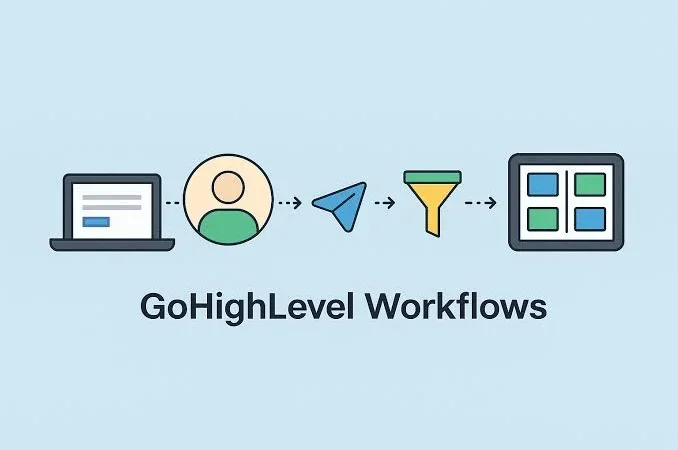
A basic gohighlevel workflow might look like this: a lead fills out your website form, GoHighLevel texts them within seconds, adds them to your CRM, and notifies your team. That whole sequence runs automatically, at any hour, for every lead that comes in.
How GHL workflows actually work
Every go high level workflow is built from three core parts. Once you understand these, the rest is just combining them in different orders.
| Component | What it does | Example |
|---|---|---|
| Trigger | Starts the workflow | New form submitted |
| Action | Runs automatically once triggered | Send a text, add a tag, assign a rep |
| Condition | Adds if/then branching logic | If no reply in 24 hours, send a follow-up |
Triggers, the event that starts things
A trigger is the event that kicks off a workflow. It could be a form submission, a missed call, an appointment booking, a tag being added to a contact, or dozens of other actions inside GoHighLevel.
GoHighLevel gives you a long list of gohighlevel triggers to choose from, and you can often combine several to cover different entry points into the same workflow. “New lead,” for example, might trigger the same follow-up sequence whether it came from a form, a phone call, or a Facebook ad.
Actions, what happens automatically
Once a workflow is triggered, actions are what actually happen. Send a text. Send an email. Add a tag. Assign the lead to a team member. Wait two hours, then send a follow-up. Actions run one after another in a sequence, and you can add as many as the situation needs.
Conditions, the if/then logic
Conditions let a workflow make decisions. If a lead replies to a text, do one thing. If they don’t reply within 24 hours, do something else. This is what separates a basic workflow from a smart one. It lets you branch based on how a contact actually responds instead of treating everyone the same way.
Why small business owners use workflows in GoHighLevel
The honest answer is time and revenue, not technology for its own sake.
Response speed matters more than most business owners realize. The Lead Response Management study out of MIT, later echoed by Harvard Business Review, found that businesses responding to a new lead within five minutes are dramatically more likely to actually connect with that lead than those who wait even thirty minutes. Most small businesses can’t staff someone to watch for new leads around the clock. A workflow can.
That’s the real appeal of GHL automation. Workflows remove the routine work that eats up a business owner’s day, things like:
- Sending reminder texts
- Updating spreadsheets after every booking
- Tagging and organizing contacts
- Assigning new leads to the right person
None of that requires a human decision. It just needs to happen every time, correctly, without anyone remembering to do it.
Common GHL workflow examples for small businesses
These are the go high level workflows most small businesses set up first, usually because they solve the most obvious pain point. GoHighLevel also ships with go high level workflow templates for most of these, so you’re rarely starting from a blank canvas.
| Workflow | Trigger | What it does |
|---|---|---|
| Lead follow-up | New contact created | Instant text and email, then scheduled follow-ups |
| Missed call text-back | Missed inbound call | Auto-texts the caller within seconds |
| Appointment booking and reminders | Booking made | Confirmation, reminders, and no-show follow-up |
| Review request | Job-complete tag added | Sends a review request a day or two later |
| Lead distribution (round robin) | New lead assigned | Splits leads evenly across your team |
Lead follow-up workflow
A new contact comes in. Within seconds, they get a text and an email. If they don’t respond, a follow-up goes out a few hours later, then again the next day. This alone recovers leads that would otherwise go cold. It’s the same setup we build as automated CRM follow-up for clients who were losing leads simply because nobody got to them fast enough.
Missed call text-back workflow
Someone calls and nobody picks up. Instead of losing that lead entirely, GoHighLevel automatically texts them back within seconds: “Sorry we missed your call, how can we help?” It’s one of the simplest workflows to set up and one of the highest impact, since a missed call is often a lead who’s ready to buy right now. This is essentially automated SMS follow-up doing the job a receptionist would otherwise have to do.
Appointment booking and reminder workflow
A lead books a time slot, gets an instant confirmation, and then receives reminder texts leading up to the appointment. Add a reschedule link and a no-show follow-up, and you’ve built a system that cuts down on no-shows without anyone manually texting every client. This is the core of automated appointment booking.
Review request workflow
A job wraps up, a tag gets added, and a review request goes out automatically a day or two later. Businesses that ask for reviews consistently tend to get more of them than businesses that ask occasionally, simply because the request doesn’t depend on someone remembering to send it. We set this up through automated review requests.
Lead distribution and round robin assignment
If more than one person handles leads, gohighlevel round robin distribution assigns new leads evenly across your team instead of everything landing on one person’s desk, or worse, sitting unassigned. This pairs well with CRM automation for lead routing so leads never sit waiting for someone to notice them.
Is GHL automation the same as a GHL workflow
Mostly, yes. GHL automation and GHL workflow get used interchangeably, and in most conversations they mean the same thing: a set of automated steps that run inside GoHighLevel without manual input.
If there’s a distinction worth making, it’s this:
| Term | What it actually means |
|---|---|
| GHL workflow | The specific automated sequence you build inside GoHighLevel |
| Gohighlevel automation | The broader strategy of using workflows and other features to cut manual work |
| GHL automations (plural) | The individual workflows themselves |
We build out full GoHighLevel automation systems for businesses who want more than a single workflow, ones that connect lead capture, CRM, booking, and follow-up into a system that actually works together instead of a handful of disconnected pieces.
Advanced workflow features worth knowing about
Once you’re comfortable with the basics, a couple of features are worth exploring.
| Feature | What it’s for | When to use it |
|---|---|---|
| Premium actions | Slack alerts, outbound calls, webhooks to outside tools | When a workflow needs to do more than the standard steps |
| Go high level email automation | Full email sequences inside the same builder | Multi-day nurture campaigns, not same-day urgency |
Premium actions are billed per use, so most businesses save them for workflows where the extra functionality clearly pays off. Go high level email automation, on the other hand, runs on the same trigger-action logic as everything else, it just spreads over days or weeks instead of minutes.
How to build your first GHL workflow
You don’t need to be technical to build a basic workflow, but it does take some patience the first few times.
- Start with the trigger. What single event should kick this off? Keep your first workflow to one clear trigger rather than combining several right away.
- Add your actions in order. What should happen, and in what sequence? Most first workflows only need two or three steps to be useful.
- Test it before turning it live. GoHighLevel lets you run a workflow against a test contact, so you can catch mistakes before a real lead ever sees them.
GoHighLevel also offers guided workflows and gohighlevel workflow templates for common use cases, a solid starting point if you’d rather modify something than build from scratch. Once you’re familiar with the common gohighlevel triggers, putting new workflows together gets a lot faster.
Common mistakes small businesses make with GHL workflows
- Never testing before launch. A workflow gets built and turned on, and weeks later you find out a step was misconfigured and leads never actually got the follow-up text.
- Trying to automate everything at once. A workflow that tries to handle every possible situation gets complicated fast, and complicated workflows are hard to fix when something breaks. Start with one, get it right, then move to the next.
- Setting it up and forgetting about it. GoHighLevel updates its features regularly, and a workflow that worked perfectly a year ago might not reflect the best way to solve that problem today.
DIY or done for you: how to decide
Some business owners enjoy building this themselves, and GoHighLevel’s workflow builder is genuinely approachable once you’ve done it a few times. Others would rather hand it off entirely.
| DIY | Done for you | |
|---|---|---|
| Time investment | Hours to days, plus a learning curve | Minimal, you approve the plan and it’s built |
| Best fit | Owners who enjoy learning new tools | Owners already stretched thin running the business |
| Risk | Mistakes can go live before anyone notices | Tested and reviewed before it ever reaches a customer |
If you’re already stretched thin, building and testing workflows is one more thing competing for your time, and a mistake in a live workflow can mean real leads slipping through the cracks. That’s usually when it makes sense to hire a GHL expert to set it up correctly the first time, so you can spend your time running the business instead of learning workflow logic.